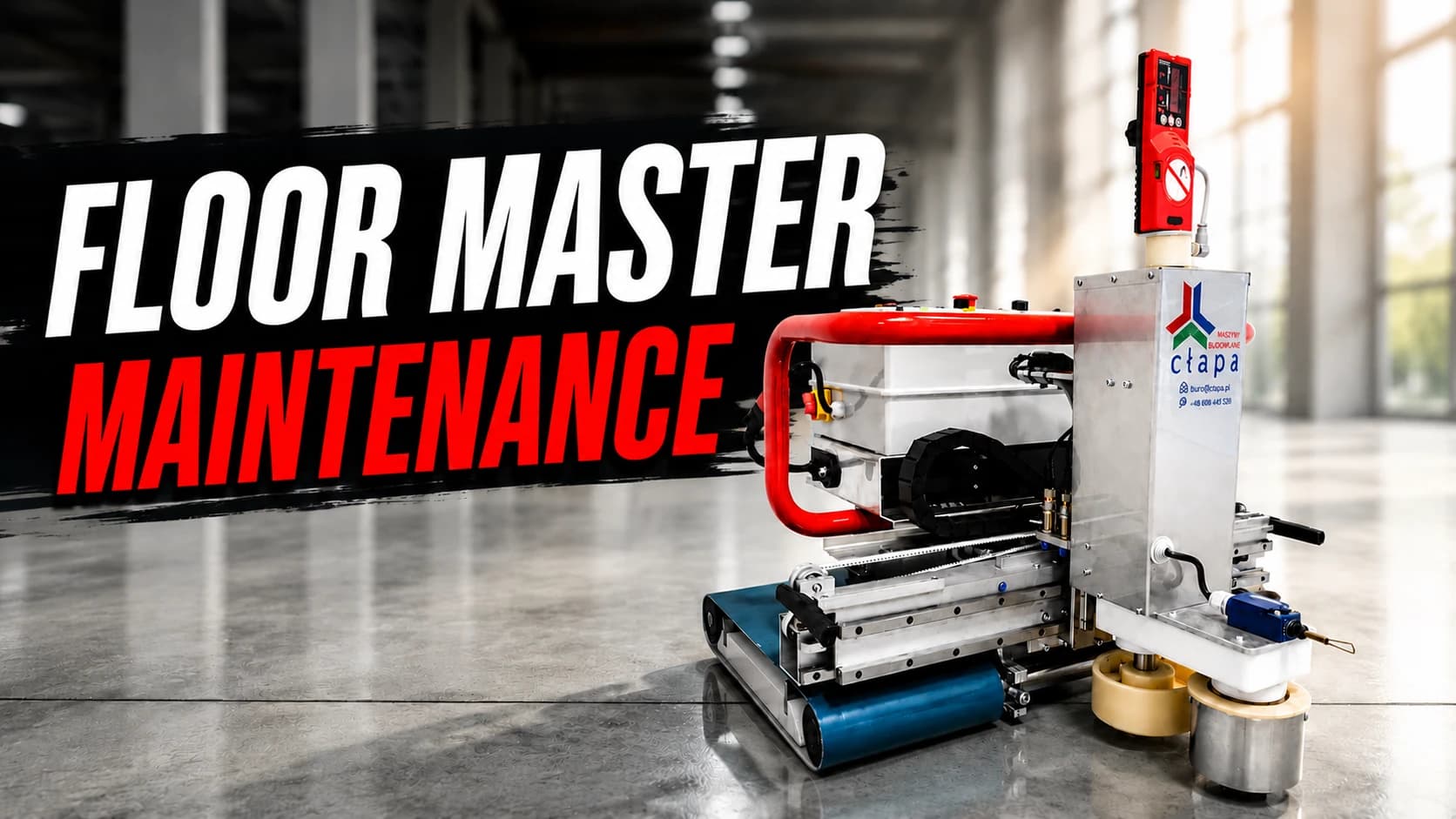
🔧 Keep It Running Smooth: The Complete Floor Master Maintenance Guide

October 03, 202512 min read

#guide#floor-master#maintenance#concrete-leveling#construction#automation#cleaning

🔧 Keep It Running Smooth: The Complete Floor Master Maintenance Guide

Maximize your Floor Master's lifespan and performance with expert maintenance techniques

📋 What You'll Master

Proper maintenance is the key to keeping your Floor Master Type 130 operating at peak performance for years to come. This comprehensive guide covers everything from daily cleaning routines to periodic inspections, ensuring your investment continues delivering professional-grade concrete leveling results.

In this maintenance guide, you'll discover:

  • 🧹 Essential daily cleaning procedures
  • 🔍 Critical periodic inspection checklists
  • ⚡ Battery care and charging best practices
  • 🛡️ Safety protocols for maintenance work
  • 🎯 Pro tips for extending machine life

🚨 Critical Safety First

⚠️ NEVER attempt maintenance while the machine is powered on!

🛡️ Essential Safety Protocols:

Safety RuleRequirement
Power DisconnectionAlways disconnect from power supply before any maintenance
Supervision RequiredNever leave machine unattended during operation
Child SafetyKeep away from children and untrained individuals
Authorized Parts OnlyUse only manufacturer-supplied accessories and parts
Damage AssessmentStop operation if cables, plugs, or components show damage
Professional RepairsAll repairs must be performed by the manufacturer

Emergency Protocol: Use the OFF switch to power down—never disconnect by pulling cables!

🧽 Daily Cleaning Procedures

Time Required: 15-20 minutes after each use

Step 0: Immediate Post-Use Cleaning 🏃‍♂️

🚨 CRITICAL: Remove masonry mortar immediately after use, before it has a chance to dry!

Why this matters: Operating the machine with dirty components can cause permanent damage and costly repairs.

What to do:

  • Make sure the machine is switched off/disconnected before you continue
  • Begin cleaning within 5 minutes of shutdown
  • Use only approved cleaning methods (no high-pressure water jets!)

Step 1: Actuator Plate Cleaning 🏃‍♂️

🚨 CRITICAL: Remove masonry mortar immediately after use, before it has a chance to dry!

Why this matters: Operating the machine with dirty trowelling plates will result in uneven finish of the floor.

Cleaning Process:

  1. Power Off Make sure the machine is switched off/disconnected before you continue
  2. Avoid water jets Use only approved cleaning methods (no high-pressure water jets!)
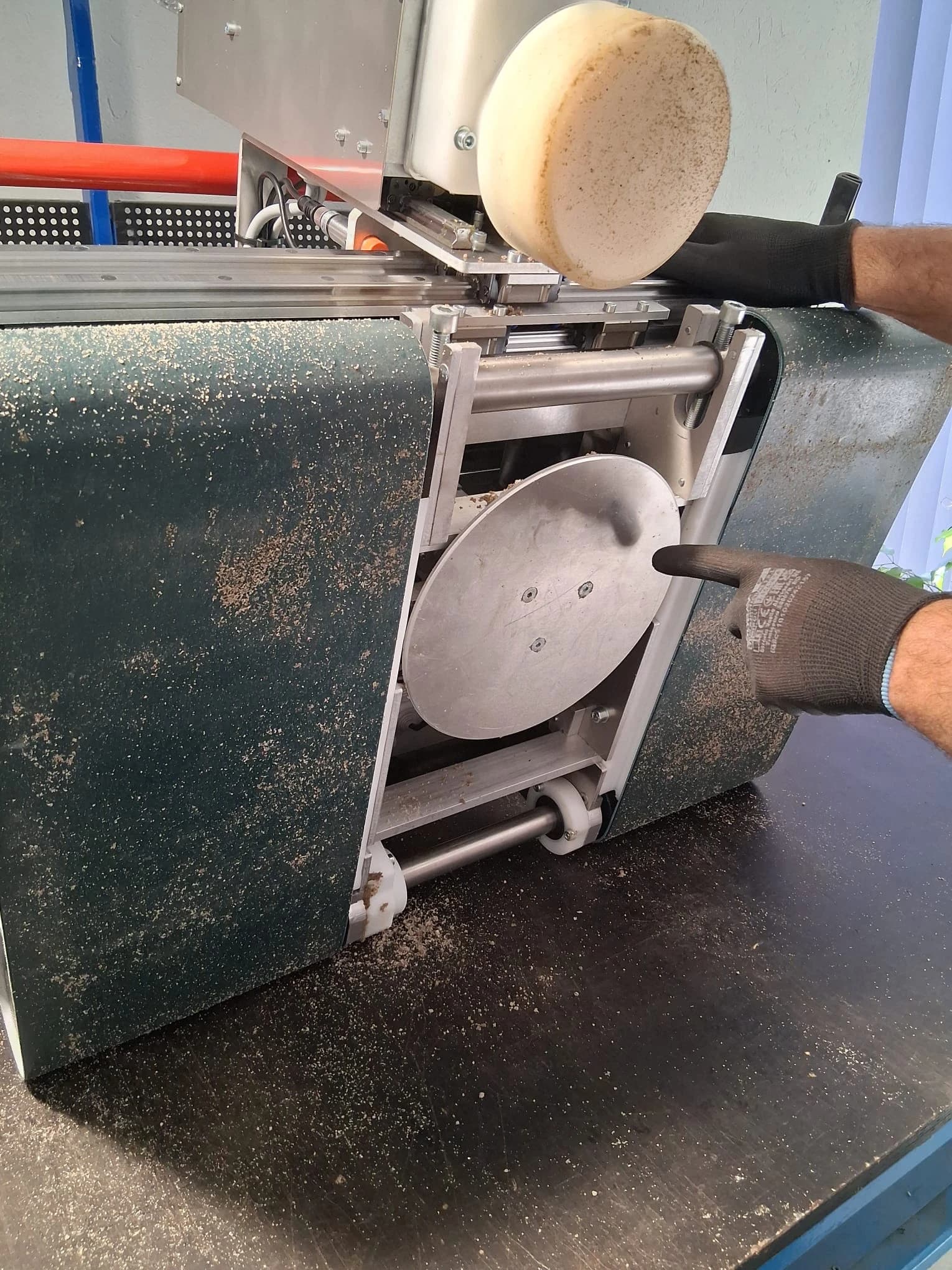
  3. Flip the machine Flip the machine on its back.
Flipped Floor Master
Floor Master flipped on its back for cleaning.
  1. Clean the plate Remove masonry mortar from the bottom of Floor Master, especially the steel plate.
Flipped Floor Master With Plate
Floor Master's actuator plate.
  1. Stand the machine You can stand the machine back on rollers.

Step 2: Trowelling Plates Cleaning 🏃‍♂️

💡 Pro Tip: Do not flip the machine on its back for this step, if you flip it the dirt from trowelling plates will fall on the control box. Maintain a 45-degree angle to avoid that.

🚨 CRITICAL: Remember to fully clean the plates on the sides, bottom, and top.

Why this matters: Operating the machine with dirty trowelling plates will result in uneven finish of the floor, degraded performance and will lead to faster wear.

Cleaning Process:

  1. Power Off Make sure the machine is switched off/disconnected before you continue
  2. Avoid water jets Use only approved cleaning methods (no high-pressure water jets!)
  3. Clean the top Start with removing the mortar from the top of the trowelling plates.
Trowelling plates cleaning top
Clean the top of trowelling plates.
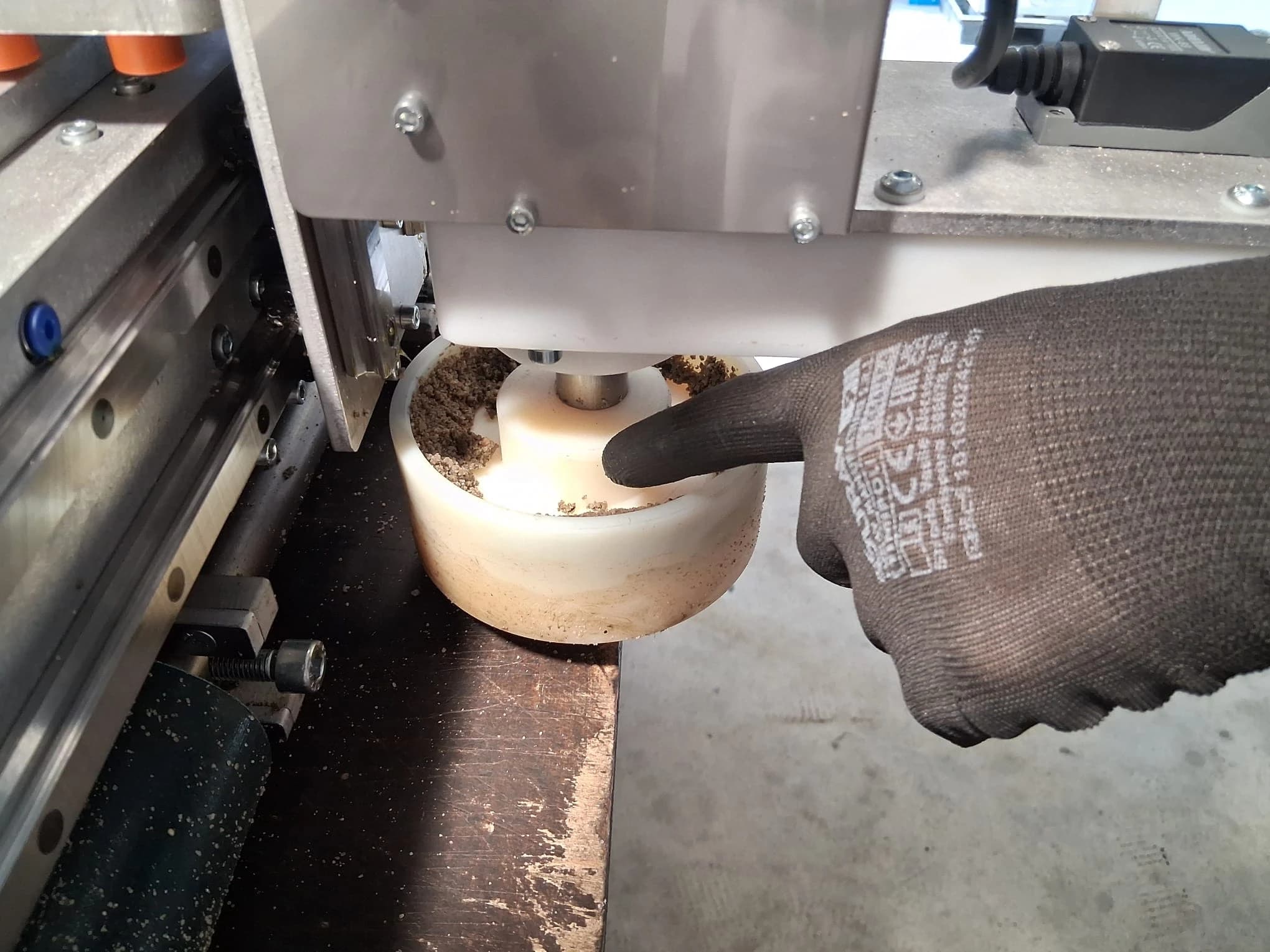
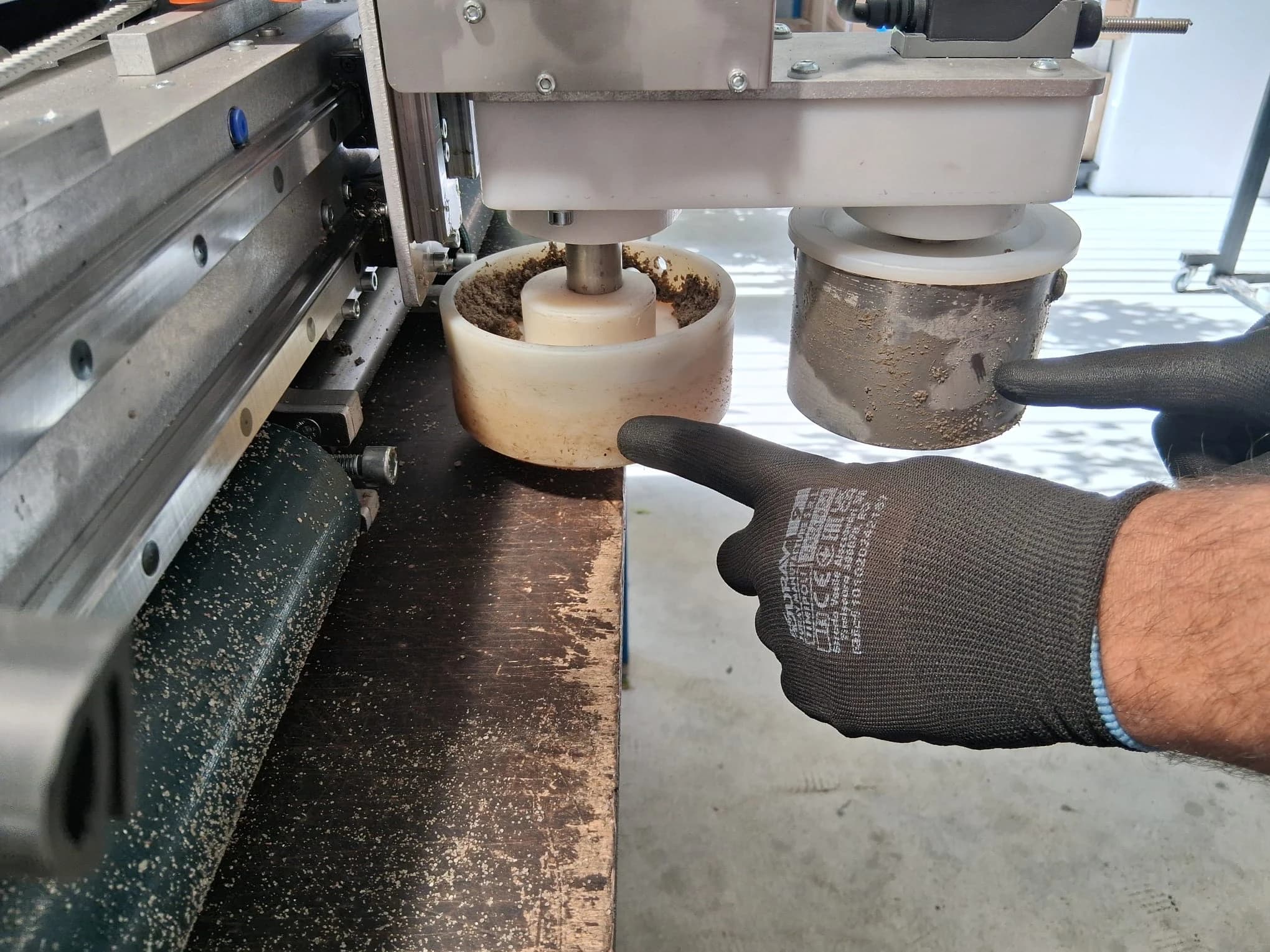
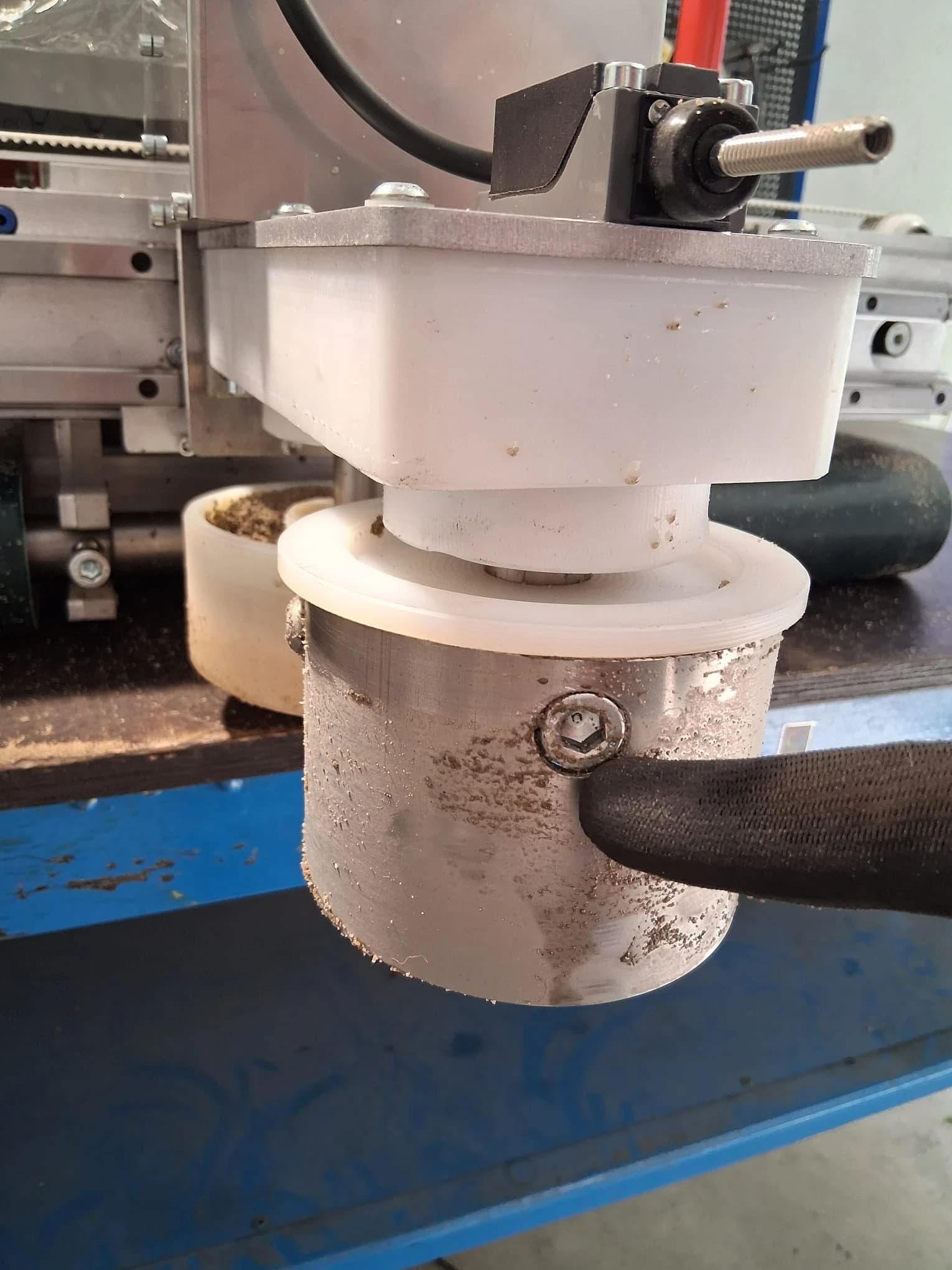
  1. Clean the sides Clean both trowelling plates with water from a hose or with a wet cloth until all masonry mortar is removed. Trowelling plates cleaning

  2. Clean the bottom Clean the bottom of the trowelling plates from any dirt. Trowelling plates cleaning bottom

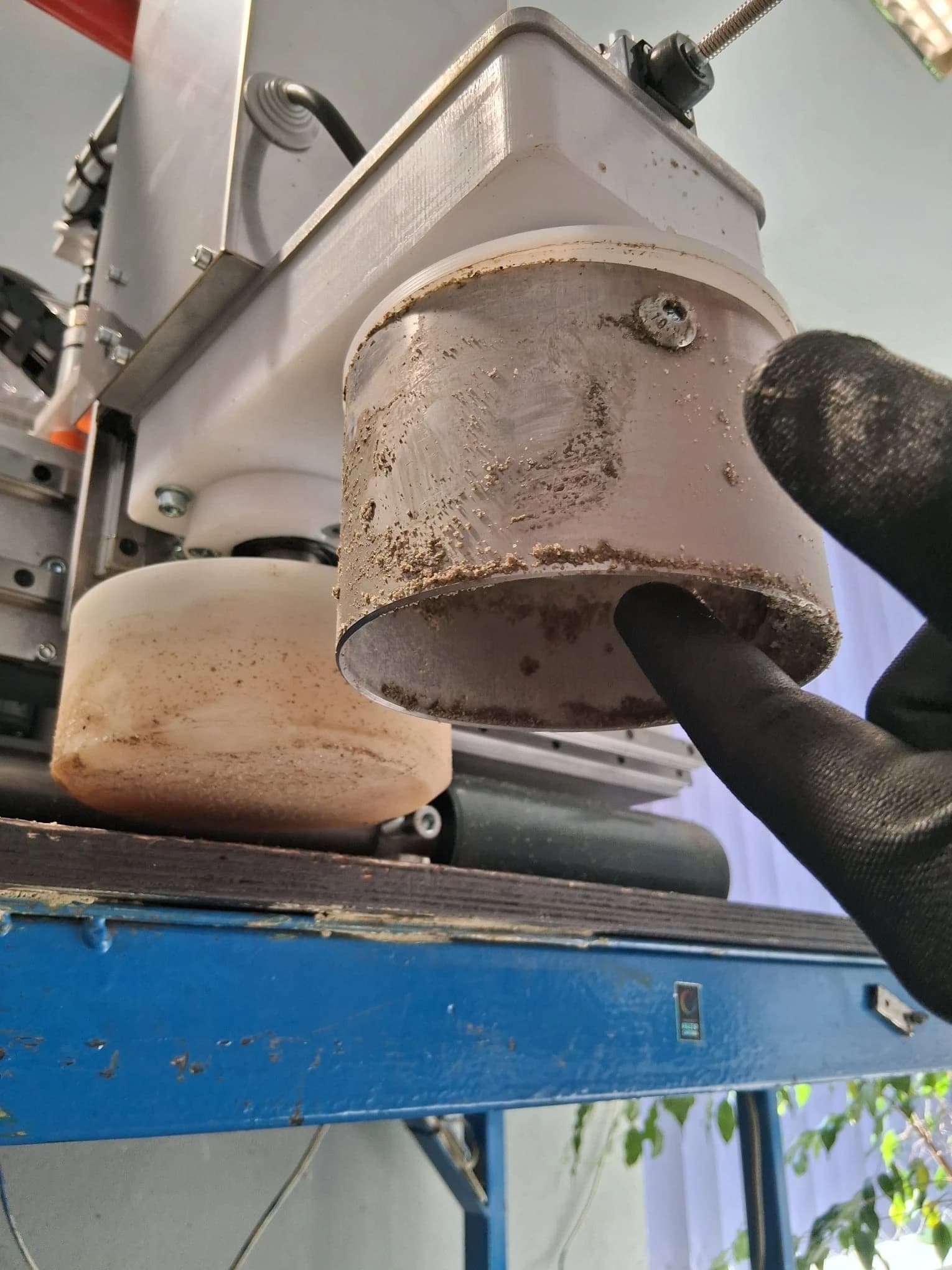
  3. Clean the screws Clean the trowelling plates screws to avoid problems with them in the future. Skipping this step may lead to costly repair.

Trowelling plates screws
Leaving the screws dirty may lead to a deadlock and inability to unscrew the screw in the future.

💡 Pro Tip: Double-check if the trowelling plates and the screws are free from dirt.

Step 3: Track Drive Roller Cleaning 🎯

Most Critical Component: Track drive rollers require meticulous attention!

Cleaning Rules:

  1. Inspect rollers for concrete or cement-sand mixture buildup
  2. Carefully remove all concrete residue using appropriate tools
  3. Clean thoroughly - any remaining buildup leads to:
    • ❌ Reduced operating speed
    • ❌ Compromised stability
    • ❌ Potential machine failure
  4. Remove excess water using compressed air (⚠️ Max pressure: 0.2 MPa / 2 bar)

Cleaning process:

  1. Lift the machine so the rollers are not touching any surface
Lifted machine with rollers not touching the surface
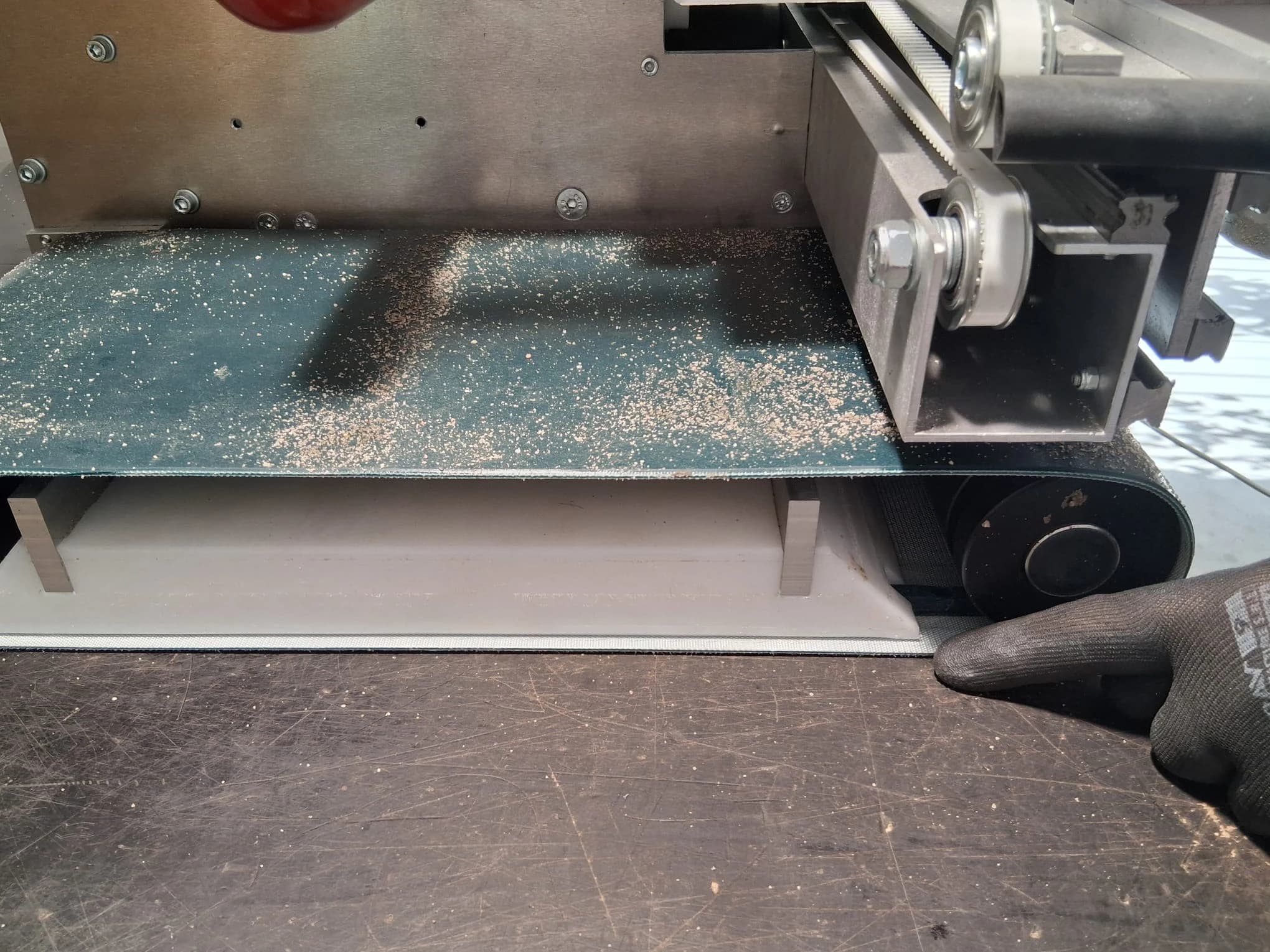
The easiest way to clean a roller is to use forwards/backwards button and running the roller.
  1. Clean the outside of the roller.
Clean the outside part of the roller
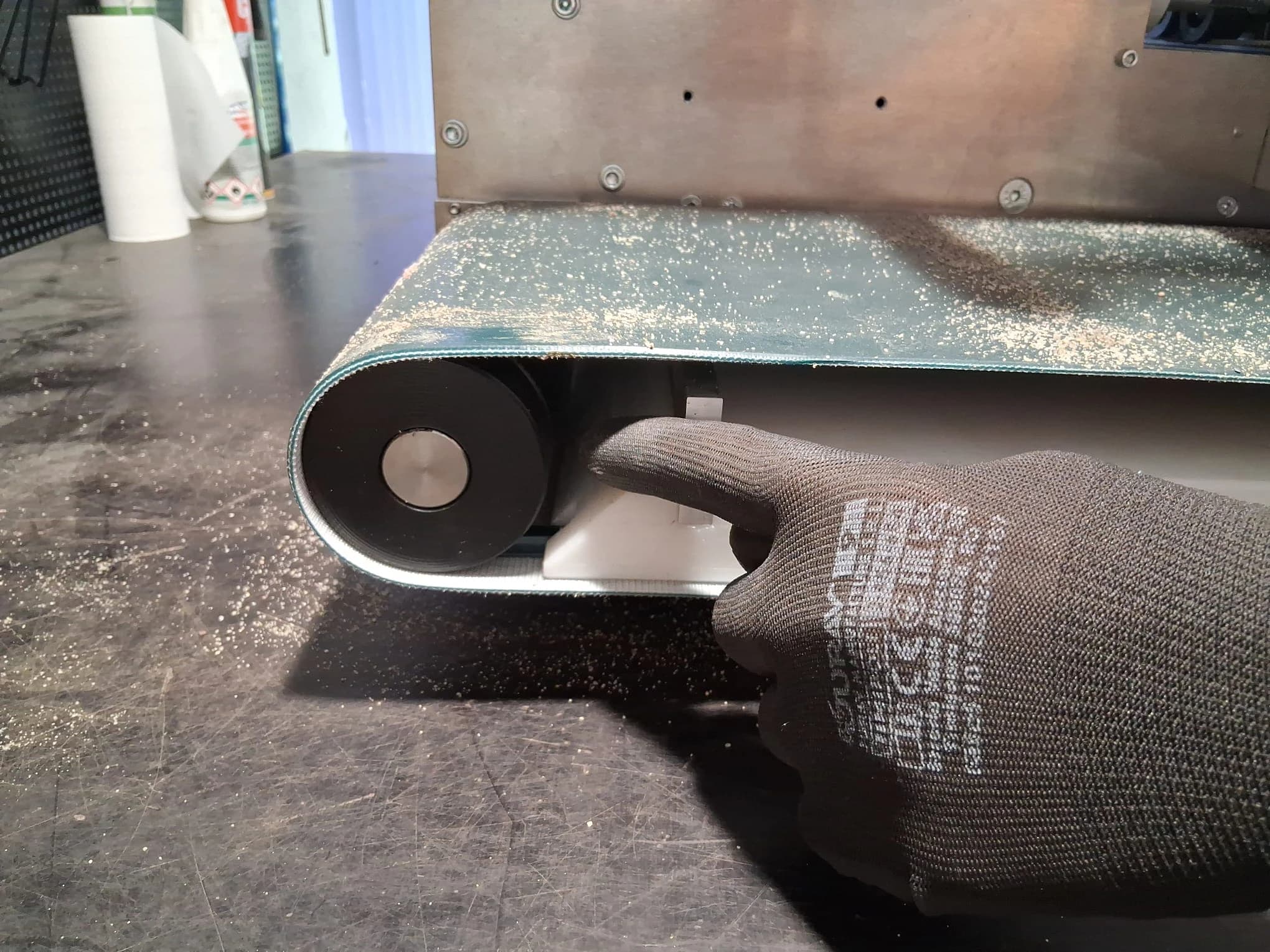
  1. Clean the inside of the roller.
Clean the inside part of the roller
  1. Clean the wheels that run the roller.
Clean the inside roller wheels
Remember to remove dirt from roller wheels, leaving the masonry mortar on wheels leads to many problems.

💡 Pro Tip: Check rollers twice — missed spots become permanent problems!

Step 4: Metal Rail Guides & Linear Bearings 🛤️

Time Required: 8-10 minutes

Critical Components:

  • Metal rail guides (beam and head)
  • Linear bearings (beam and head)

Cleaning rules:

  1. Remove all dirt and moisture completely
  2. Dry thoroughly with clean cloth
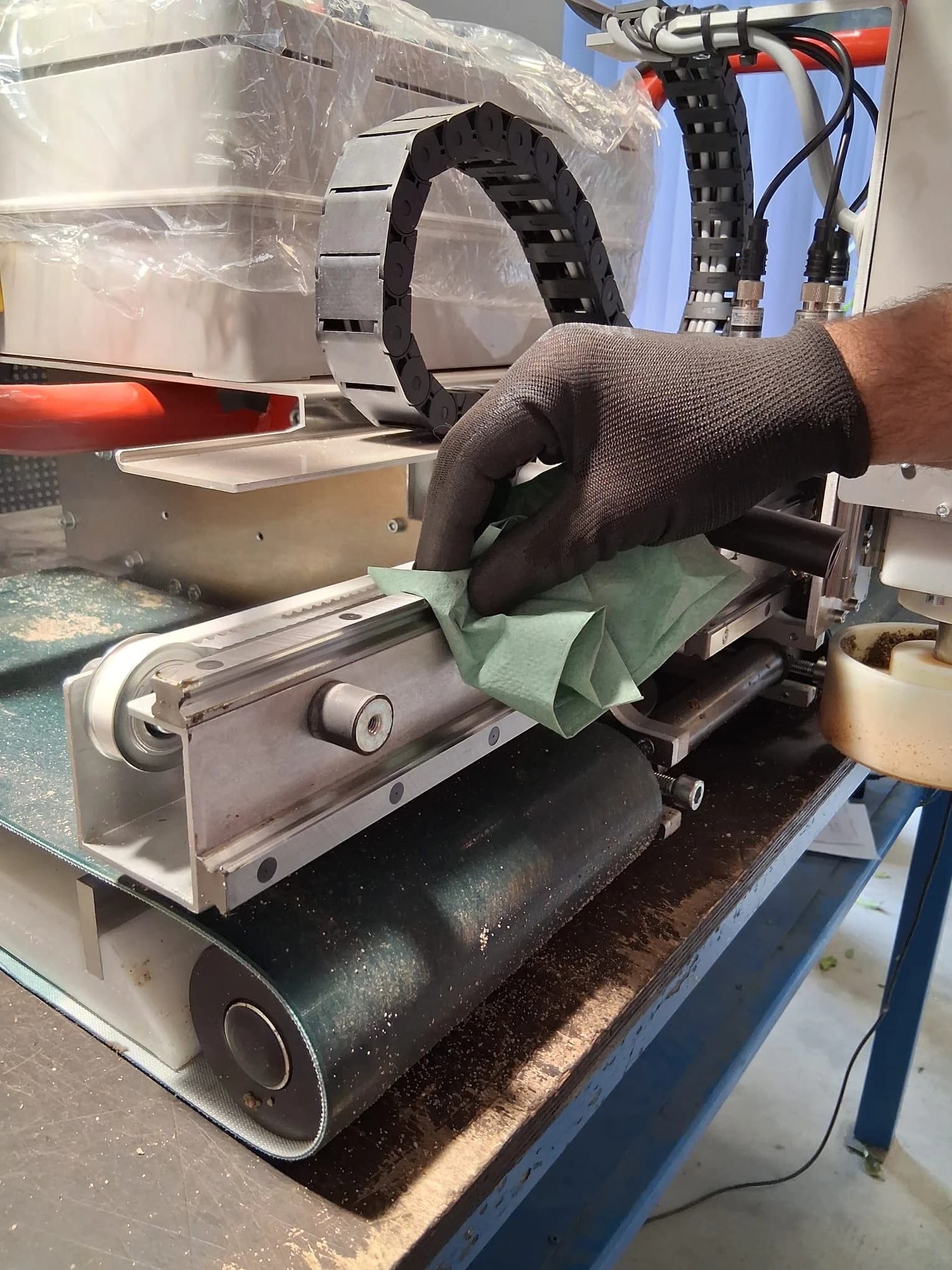
  3. Apply oil precisely to guides using clean cloth
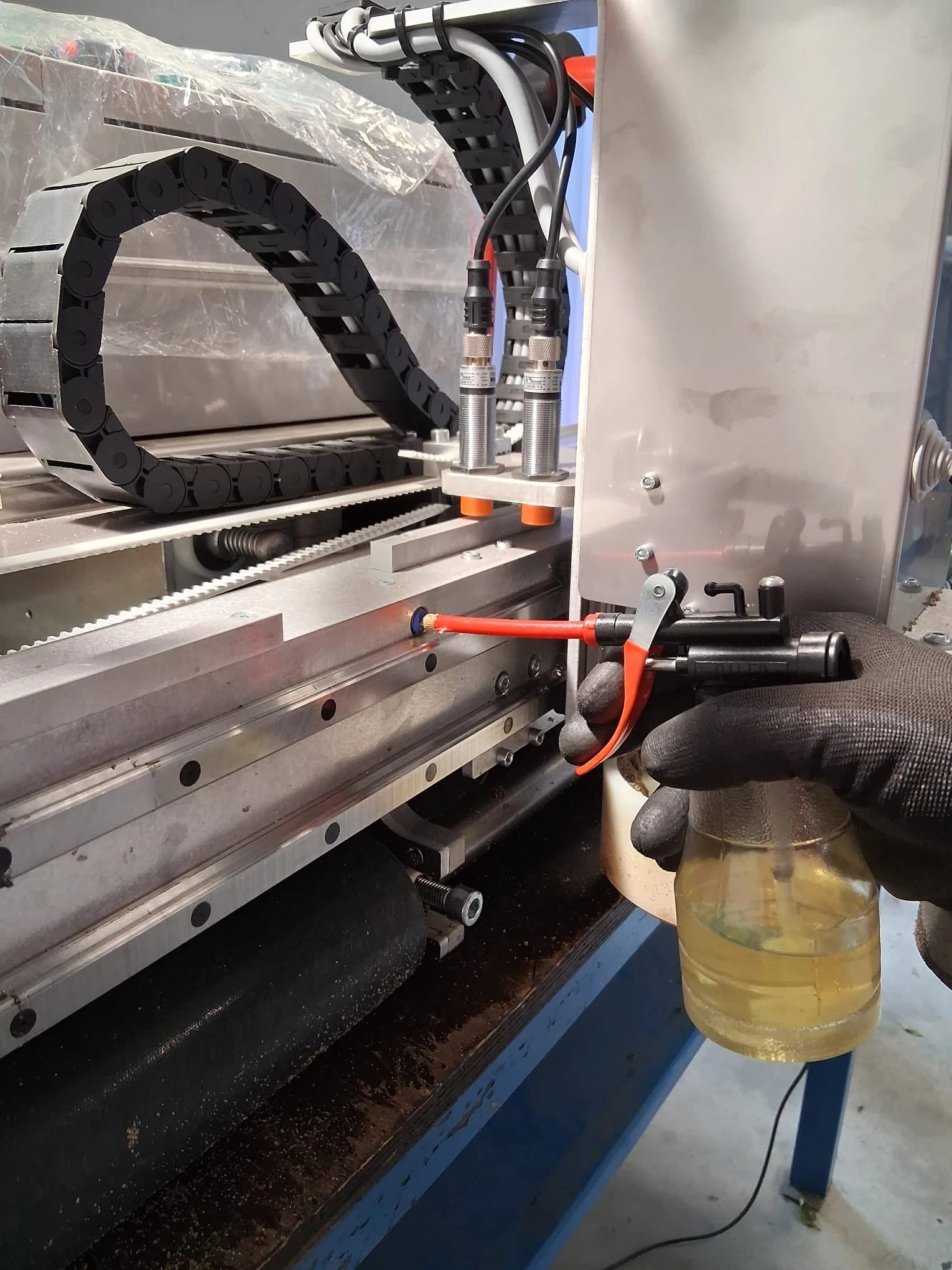
  4. Service linear bearings with special oiler from maintenance kit
  5. Use hydraulic oil with thin, runny texture for best results

Cleaning process:

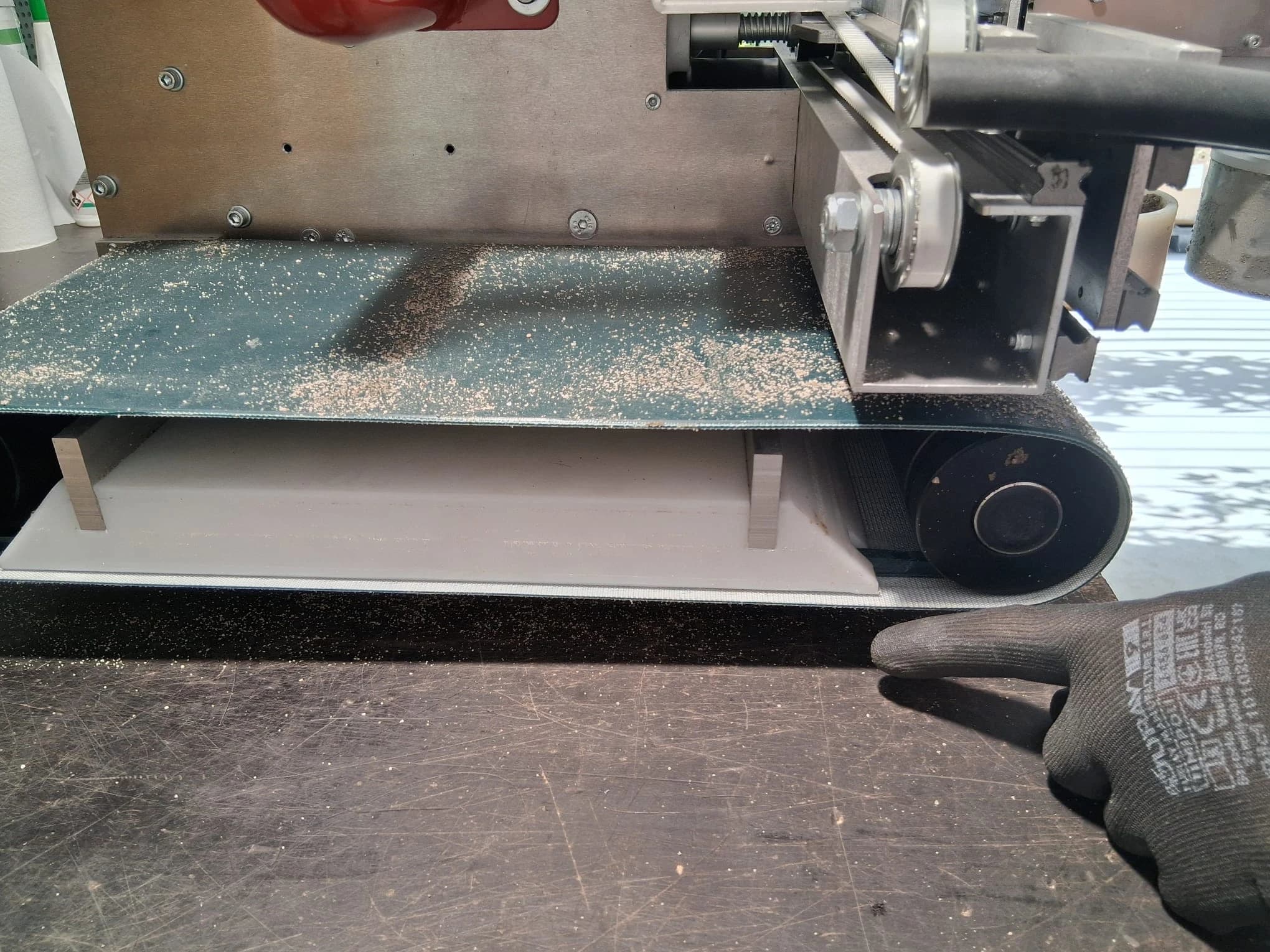
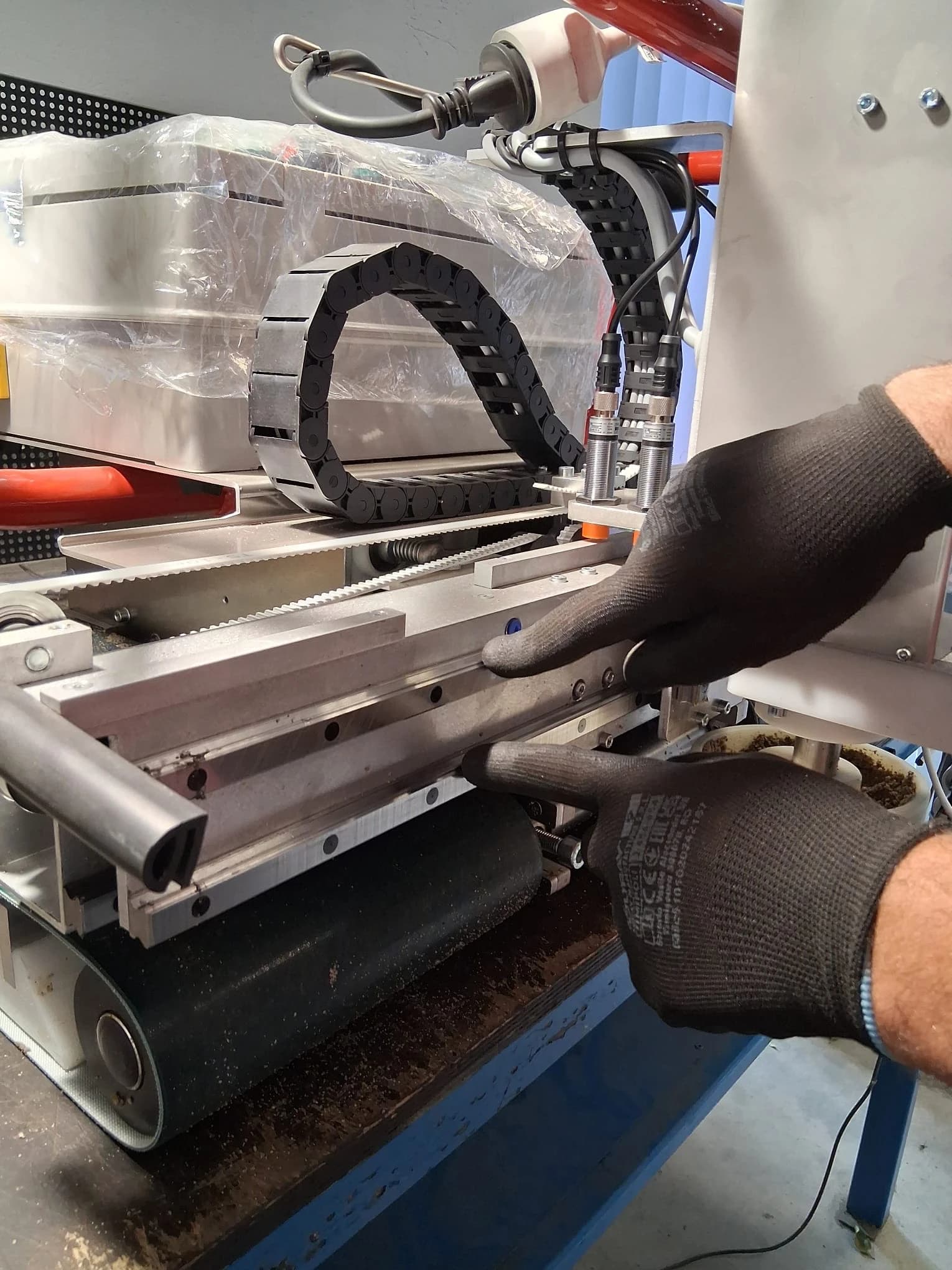
  1. Clean and dry the rail guides on the external side of the machine.
External rail guides
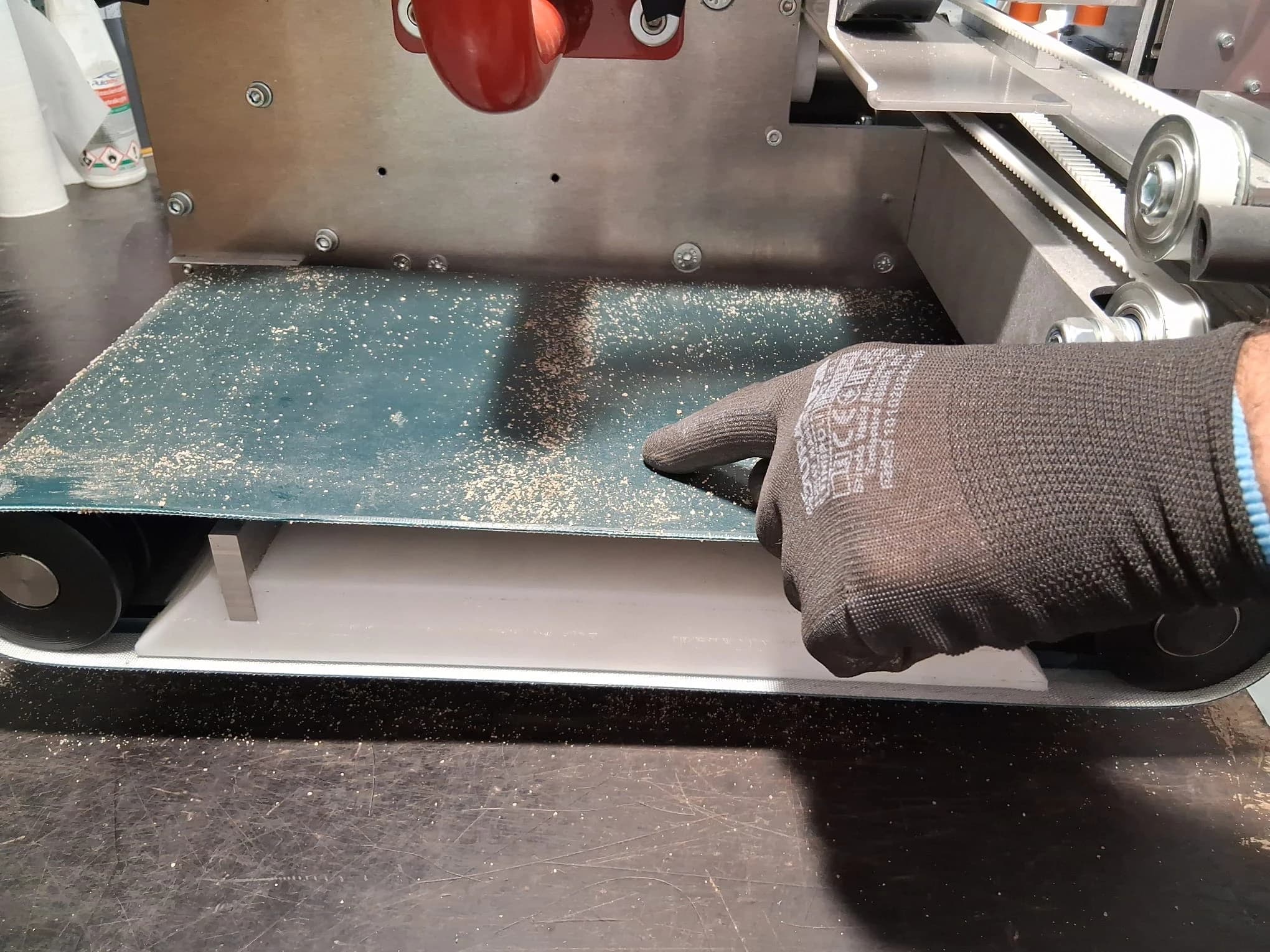
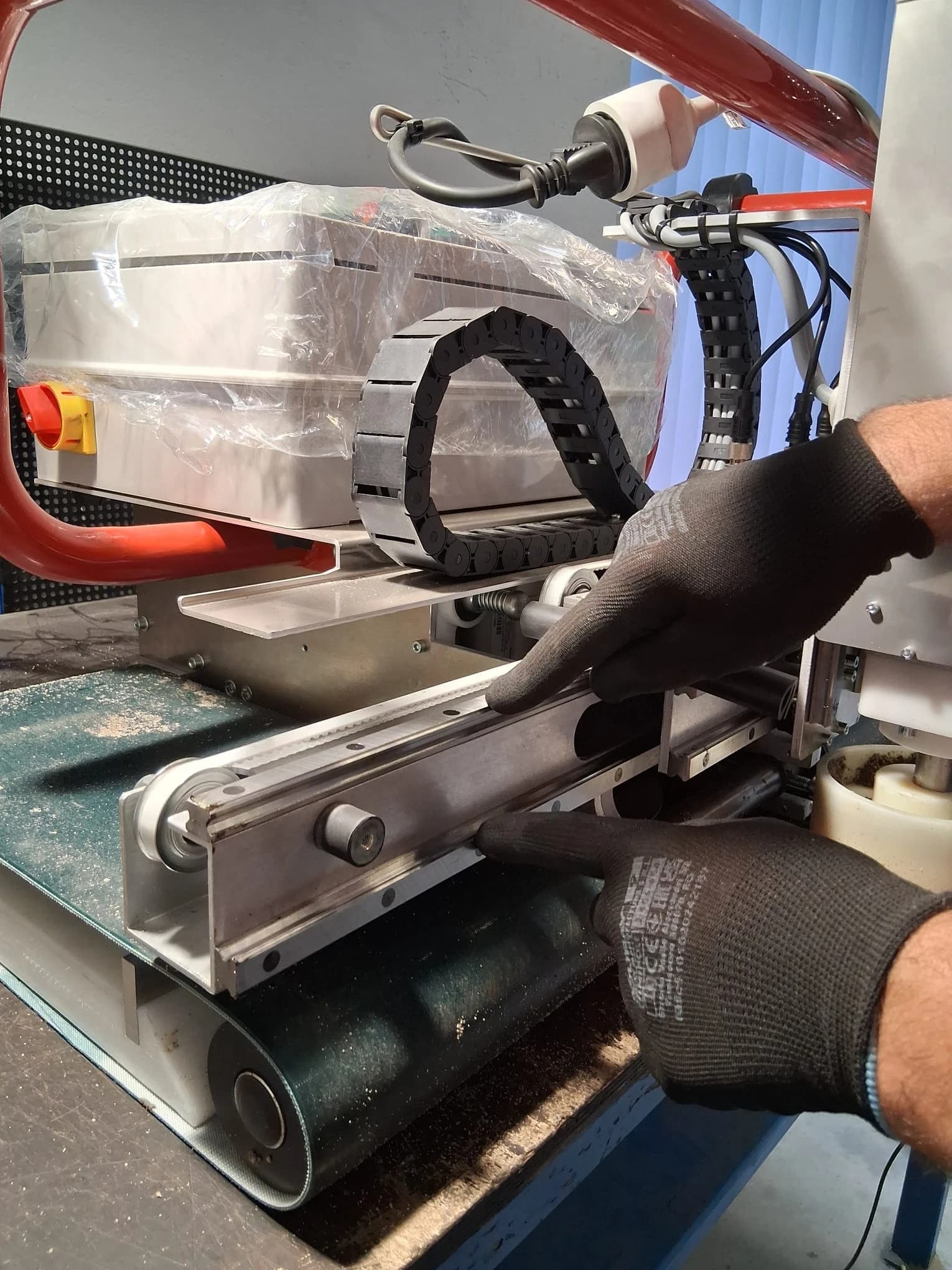
  1. Clean and dry the rail guides on the internal side of the machine.
Internal rail guides

💡 Pro Tip: Use the paper cloth for drying the rails. Dry the rail guides with paper cloth

  1. Oil the rails and beam. There are 2 oiling ports on the beam and 3 additional ports on the head hold. Oil the rail guides and beam with marked ports

  2. Run the machine in place so the head moves left-right to ensure proper oiling.

⚙️ Technical Note: Clean application prevents contamination—use fresh oil for each maintenance session.

🔋 Battery Care & Power Management

Battery Specifications:

  • Capacity: 32 amp-hours at 24V
  • Weight: 8.5 kilograms
  • Operating Time: 5-6 hours continuous / 8 hours intermittent
  • Charging Time: 2-3 hours with 24V/20A charger

Daily Battery Maintenance 🔌

After Each Use:

  • Check battery charge level on control panel
  • Clean battery terminals with dry cloth
  • Ensure proper ventilation around battery compartment
  • Verify charger connection is secure

Charging Best Practices:

  • ✅ Charge in well-ventilated area
  • ✅ Use only manufacturer-supplied charger (24V/20A)
  • ✅ Allow complete charge cycles (2-3 hours)
  • ❌ Never charge in wet conditions
  • ❌ Don't interrupt charging cycles unnecessarily

Weekly Battery Health Check 📊

Performance Indicators:

  • Operating time should maintain 5-6 hours continuous use
  • Charging should complete within 3 hours maximum
  • Battery should hold charge when not in use
  • No visible corrosion on terminals

🔋 Battery Longevity Tip: Regular complete charge cycles maintain optimal battery chemistry!

🔍 Periodic Inspections

Weekly Inspection: 15 minutes Monthly Deep Inspection: 45 minutes

Weekly Inspection Checklist ✅

Mechanical Components:

  • Trowelling plates - Check for wear, cracks, or damage
  • T5 toothed belt - Verify tension and alignment
  • Drive belt - Inspect for fraying or stretching
  • Rollers - Ensure smooth rotation and clean surfaces
  • Platform stability - Check for loose connections

Electrical System:

  • Control panel - Test all buttons and indicators
  • Laser detector - Verify clean lens and secure mounting
  • Limit switches - Confirm proper operation
  • Wireless functionality - Test remote control response
  • Cable integrity - Check for cuts, kinks, or wear

Safety Features:

  • Emergency stop - Test immediate shutdown function
  • Limit sensors - Verify automatic shutoff operation
  • Handle security - Check mounting and stability

Monthly Deep Inspection 🔬

Extended Component Analysis:

  • Head beam alignment - Measure and verify straightness
  • Plate gear operation - Check smooth power transfer
  • Laser reference accuracy - Test ±1mm precision over 20m
  • Acoustic signal functionality - Verify all audio indicators
  • Weight distribution - Confirm balanced 65kg load

Documentation:

  • Record all measurements and observations
  • Note any deviations from normal operation
  • Schedule professional service if needed
  • Update maintenance log with date and findings

🛠️ Advanced Maintenance Procedures

Lubrication Schedule 📅

Weekly Applications:

  • Linear bearings (using special oiler)
  • Metal rail guides (thin hydraulic oil)
  • Moving pivot points

Monthly Applications:

  • Drive mechanism components
  • Gear assemblies (plate gear)
  • Roller bearings

Oil Specifications:

  • Type: Hydraulic oil, thin consistency
  • Application: Clean cloth for guides, special oiler for bearings
  • Quantity: Light coating—excess attracts contamination

Component Replacement Indicators ⚠️

Immediate Replacement Required:

  • Trowelling plates show significant wear
  • Drive belts exhibit cracking or stretching
  • Linear bearings feel rough or binding
  • Electrical components show damage
  • Safety switches fail to operate

Schedule Replacement Soon:

  • Rollers show uneven wear patterns
  • Oil consumption increases noticeably
  • Operating noise levels increase
  • Battery performance declines significantly

📈 Performance Monitoring

Key Performance Indicators 📊

MetricTarget PerformanceAction Threshold
Coverage Rate80 m²/hourBelow 70 m²/hour
Accuracy±1mm over 20m±2mm or greater
Battery Life5-6 hours continuousBelow 4 hours
Charging Time2-3 hoursOver 4 hours
Operating Weight65kg totalWeight distribution issues

Performance Tracking:

  • Log daily operating hours
  • Record surface coverage completed
  • Monitor charging cycles and duration
  • Track any operational anomalies
  • Compare performance to baseline metrics

Seasonal Maintenance Adjustments 🌡️

Cold Weather Precautions:

  • Allow battery to warm before charging
  • Check for condensation in electrical components
  • Verify oil viscosity remains appropriate
  • Store in temperature-controlled environment

Hot Weather Considerations:

  • Ensure adequate ventilation during operation
  • Monitor battery temperature during charging
  • Check for thermal expansion effects on alignment
  • Increase cleaning frequency due to dust conditions

🚨 Troubleshooting During Maintenance

Common Maintenance Issues 🔧

Machine Won't Start After Cleaning:

  • ✅ Check power supply LED indicator
  • ✅ Inspect fuses for damage
  • ✅ Verify emergency stop is released
  • ✅ Ensure battery connections are secure

Reduced Movement After Lubrication:

  • ✅ Remove excess oil from guides
  • ✅ Check for contaminated lubricant
  • ✅ Verify proper oil viscosity
  • ✅ Test head position sensors (LEDs 4 and 5)

Level Accuracy Compromised:

  • ✅ Clean laser detector lens
  • ✅ Check laser beam projection alignment
  • ✅ Verify tripod stability and positioning
  • ✅ Test detector calibration settings

✅ Maintenance Success Checklist

Before Storing Your Floor Master:

  • Complete cleaning procedure performed
  • All components properly lubricated
  • Battery charged to full capacity
  • Inspection checklist completed and documented
  • Any issues identified and scheduled for resolution
  • Machine stored in clean, dry environment
  • Maintenance log updated with current date

Ready for Next Operation:

  • Pre-use inspection completed
  • Battery charge verified
  • All safety systems tested
  • Cleaning supplies restocked
  • Maintenance schedule reviewed

🎯 Professional Maintenance Tips

Industry Best Practices 💡

Extend Machine Lifespan:

  • Clean immediately after each use—never delay
  • Use only manufacturer-approved oils and parts
  • Maintain detailed maintenance logs
  • Address small issues before they become major problems
  • Schedule annual professional servicing

Optimize Performance:

  • Follow lubrication schedules religiously
  • Monitor performance metrics consistently
  • Keep replacement parts inventory current
  • Train all operators on proper maintenance procedures

Cost Management:

  • Preventive maintenance costs 10% of repair costs
  • Proper cleaning prevents 80% of component failures
  • Regular inspections catch 90% of potential problems early
  • Quality lubricants extend component life 3x longer

📞 When to Contact Professional Service

Schedule Service Immediately:

  • Annual comprehensive inspection and calibration
  • Laser system accuracy verification
  • Electrical system testing and certification
  • Major component replacement or repair

Contact Information:

🏆 Maintenance Mastery Achieved!

Congratulations! You now have the complete knowledge to maintain your Floor Master Type 130 at peak performance levels. Regular maintenance following these procedures ensures:

  • Maximum operational lifespan - Years of reliable service
  • 🎯 Consistent accuracy - Maintaining ±1mm precision
  • Optimal efficiency - Full 80 m²/hour coverage rate
  • 💰 Reduced operating costs - Prevention over repair
  • 🛡️ Enhanced safety - All systems functioning properly

🚀 Next Steps:

  1. Implement the daily cleaning routine immediately
  2. Schedule weekly and monthly inspections
  3. Document all maintenance activities
  4. Monitor performance metrics regularly
  5. Contact professional service for annual inspection

Keep your Floor Master running smooth—your projects depend on it! 🏗️


Need additional maintenance support? Our expert team is ready to help you maximize your Floor Master's performance and longevity.